

Welcome to Master FileMover

Google Workspace Supports the Electronic Books Maintenance Act
Google Workspace Quickly and easily upload and move files

About Master FileMover

Master FileMover is a service that assists Google Workspace in complying with the Electronic Books Maintenance Act.
It allows you to upload and move files to and from Google Drive quickly and easily.

Google Workspace Supports the Electronic Books Maintenance Act

With JIIMA certified Google Workspace, you can store your electronic transaction data in compliance with the Electronic Books Maintenance Act.

Benefits of implementing in Google Workspace

  • It can significantly reduce the amount of time users spend storing data.
  • It reduces operational errors and prevents deviations from operational rules, so people can maintain a well-maintained data storage operation without having to pay attention to it.
  • JIIMA certified Google Workspace data storage method so you can operate in compliance with the law.
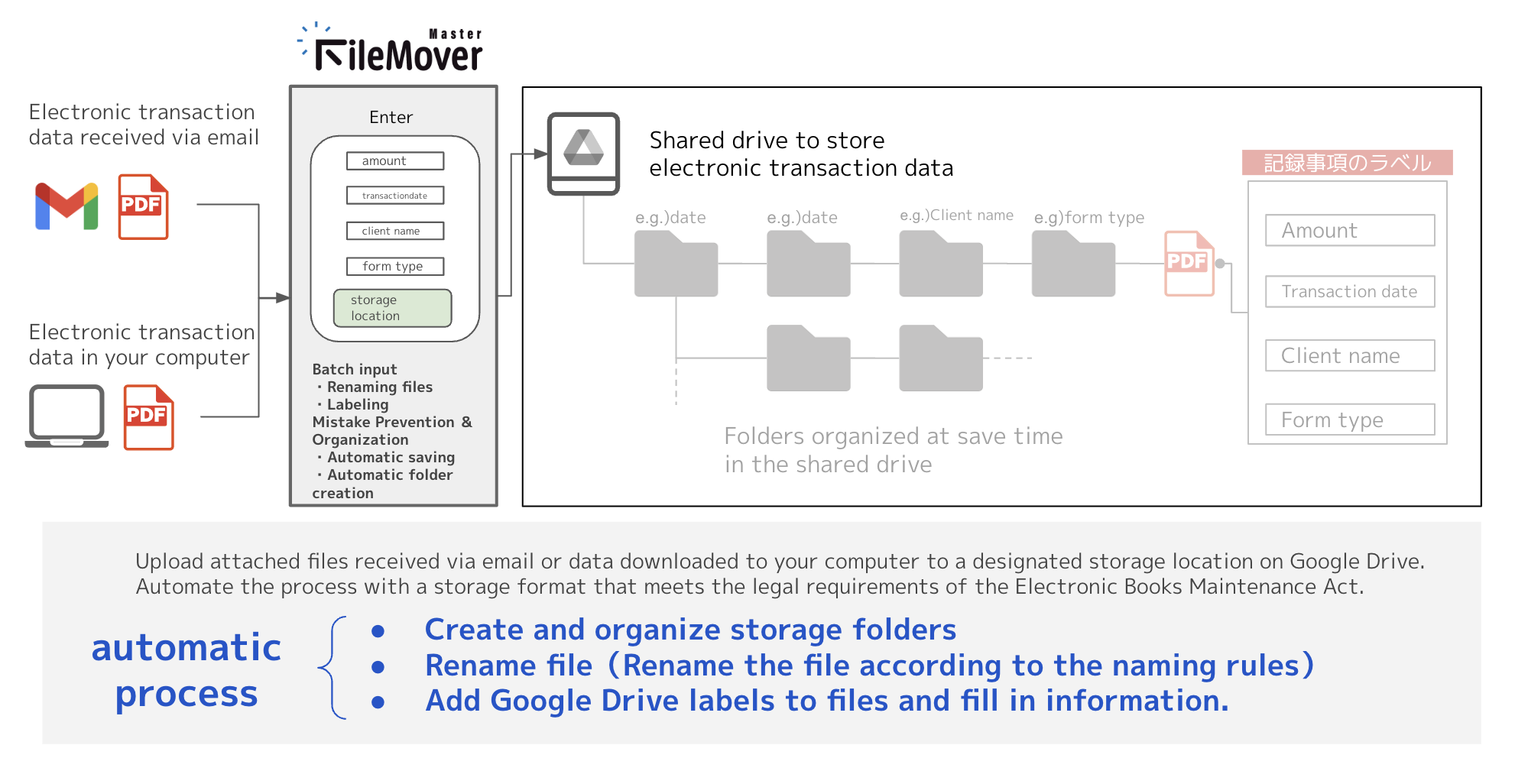
Master FileMover Feature Overview

  1. You can use it by logging in with your Google Workspace user account that you use for business.
  2. Electronic transaction data, which are Gmail attachments or files stored on computer storage, can be automatically processed to comply with the Electronic Books Maintenance Act and moved to a designated destination, Google Drive.
  3. Administrators can unify where files are stored by specifying a shared Google Drive drive or its folders.
  4. Administrators can define file naming conventions and Google Drive label entries in a manner that complies with the Electronic Books Maintenance Act.

Conceptual Diagram of Functions

Functions

Functions for Users

Operation screen

Mechanism for moving files attached to an incoming G-mail to Google Drive

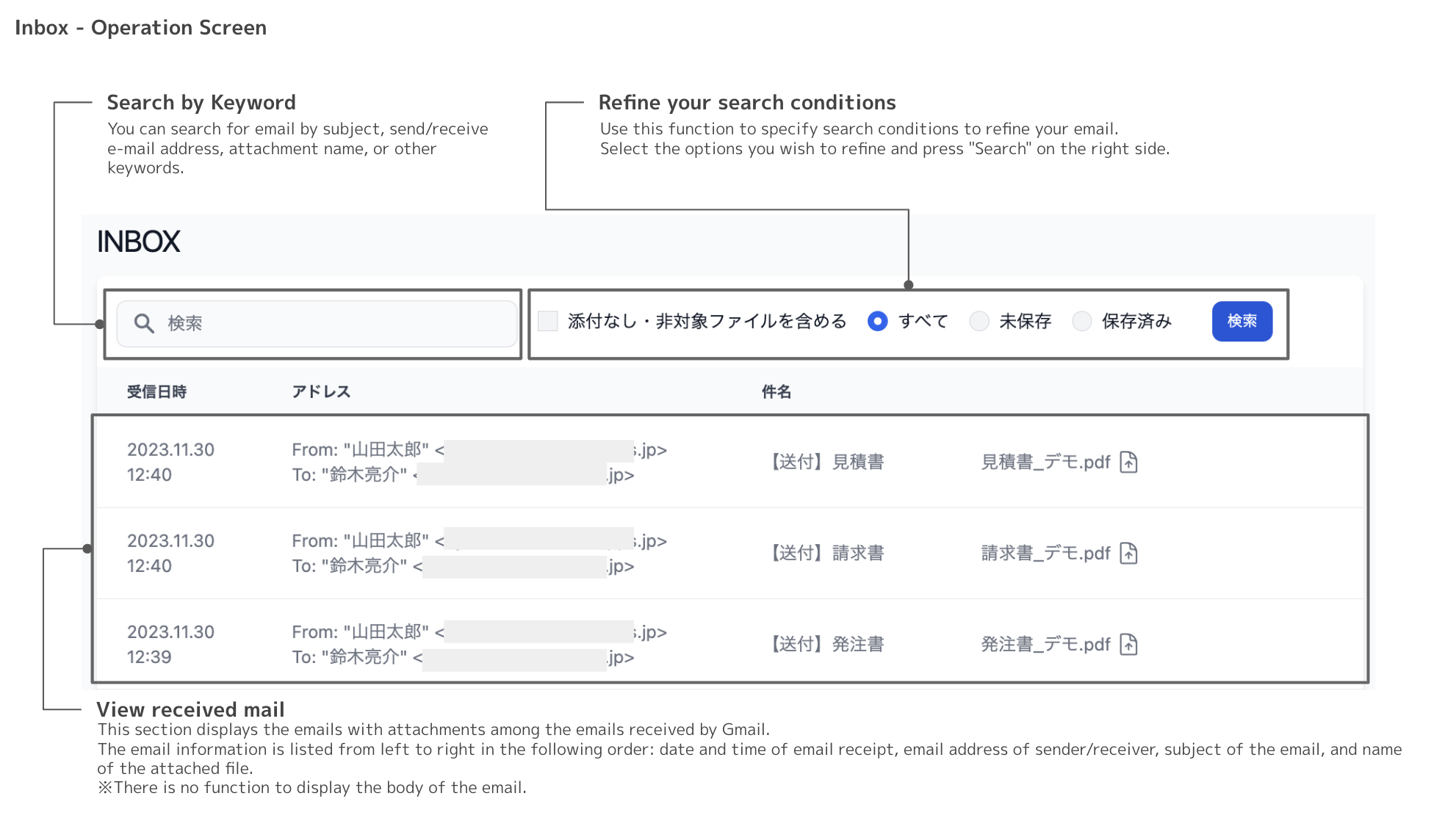
“Inbox" refers to the following items and displays them on the screen: date and time of receipt, From / To email address, subject, and attachment information of the email received in the logged-in user's Gmail.

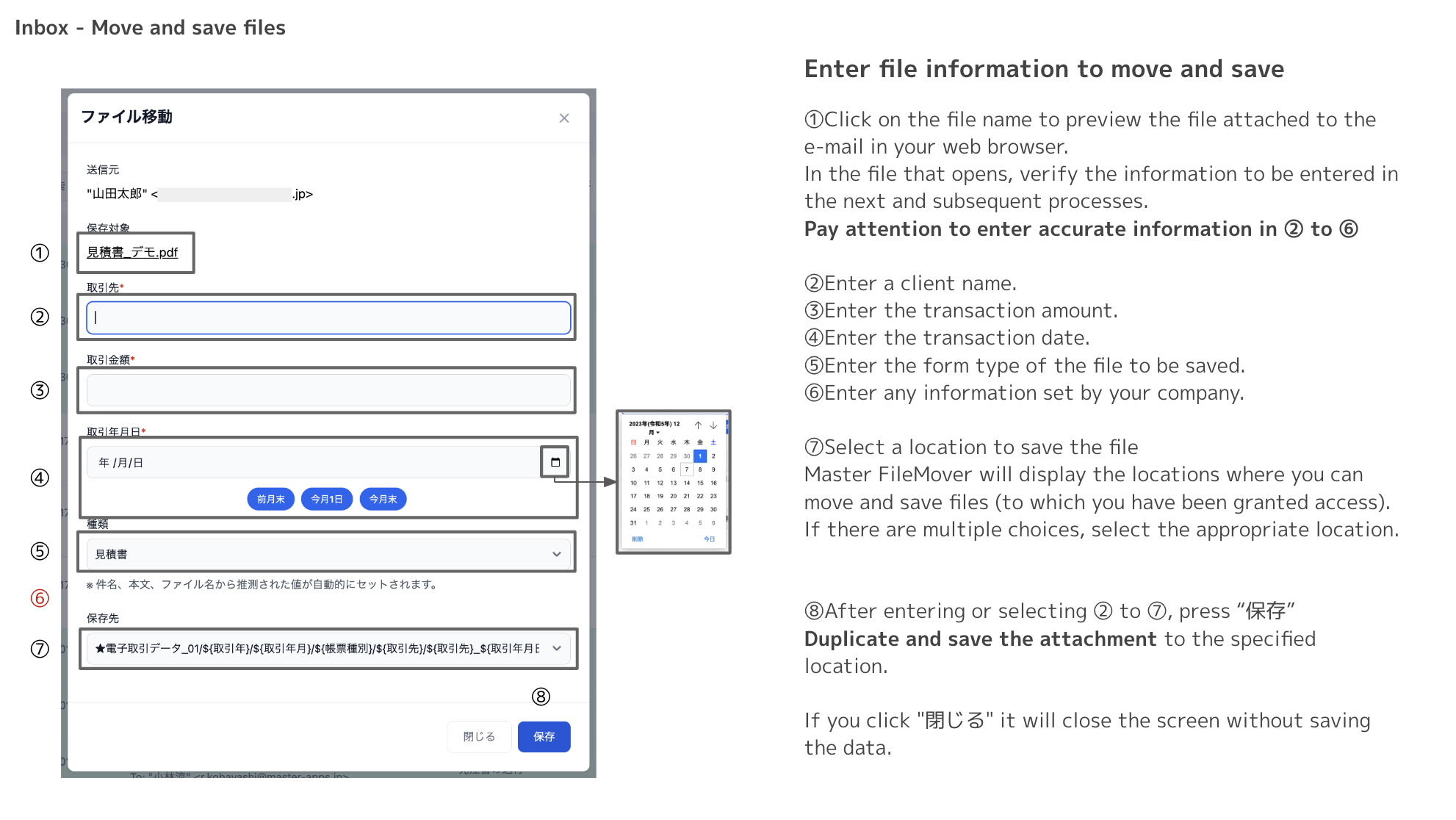
Select the file to be moved, fill in the input fields with the information that applies to the file renaming and Google Drive labeling that will take place during the move, and click the button.

Mechanism for moving data on computer storage to Google Drive

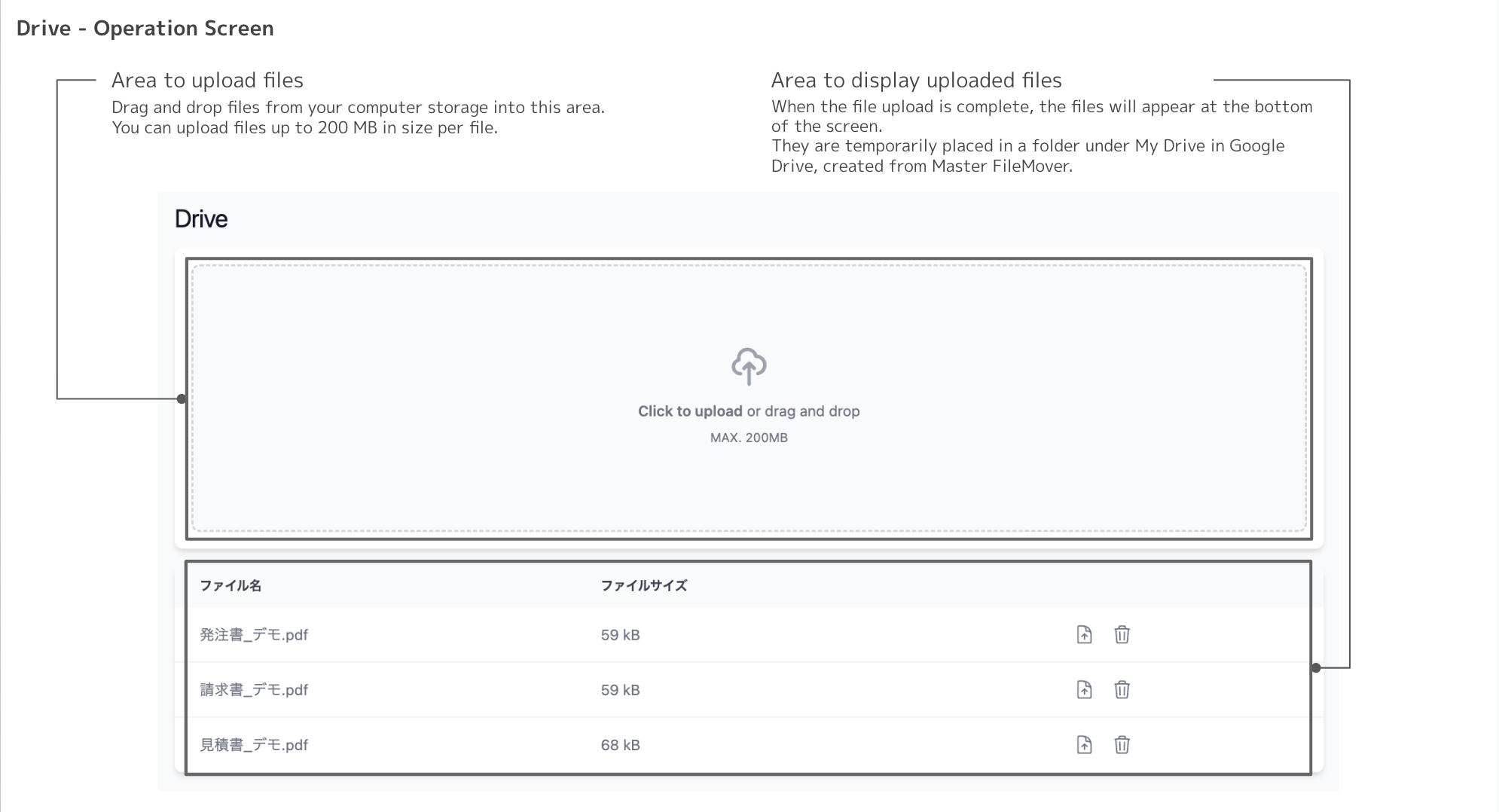
"Drive" uploads data stored on a logged-in user's PC to Google Drive.

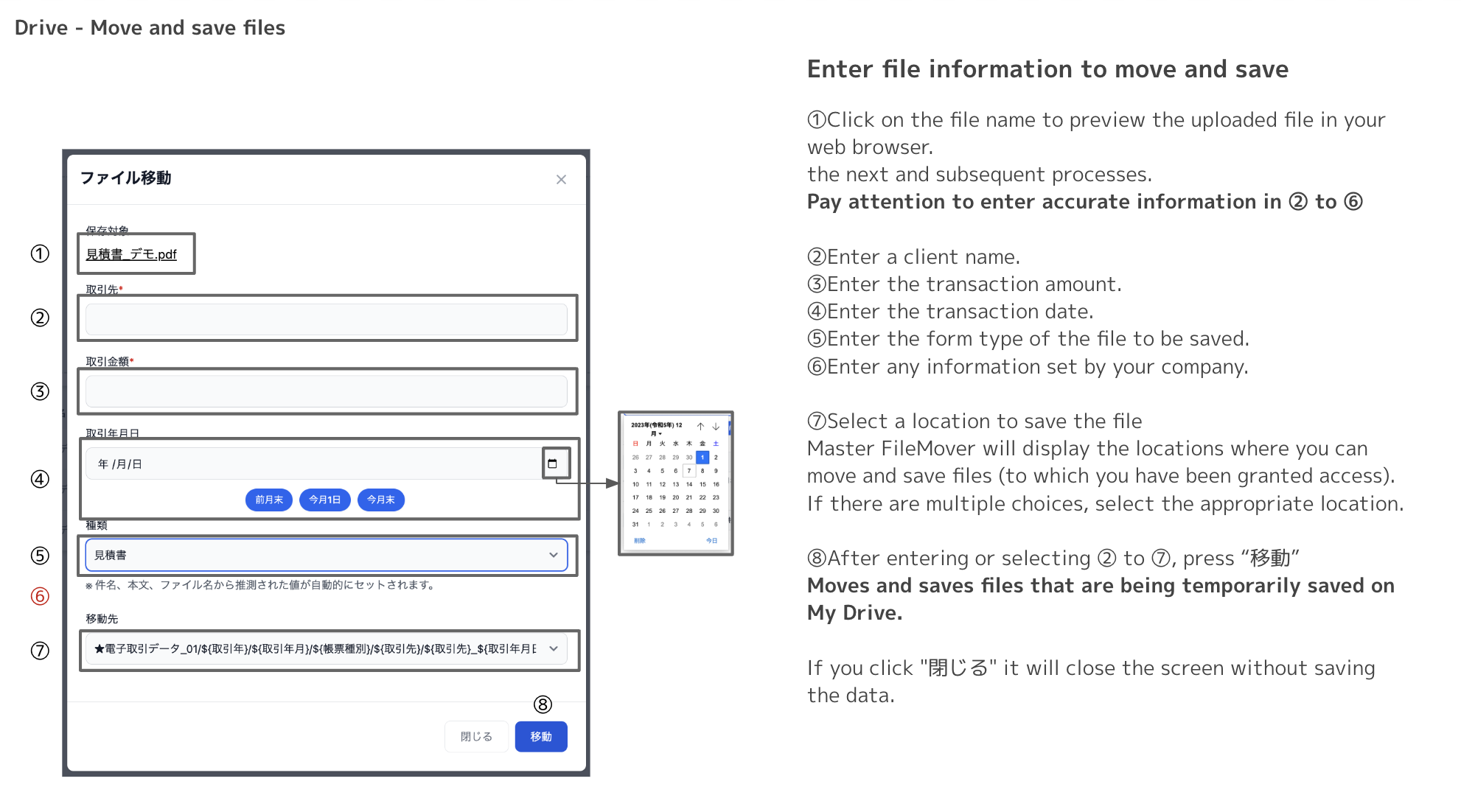
Select the file to be moved, fill in the input fields with the information that applies to the file renaming and Google Drive labeling that will take place during the move, and click the button.

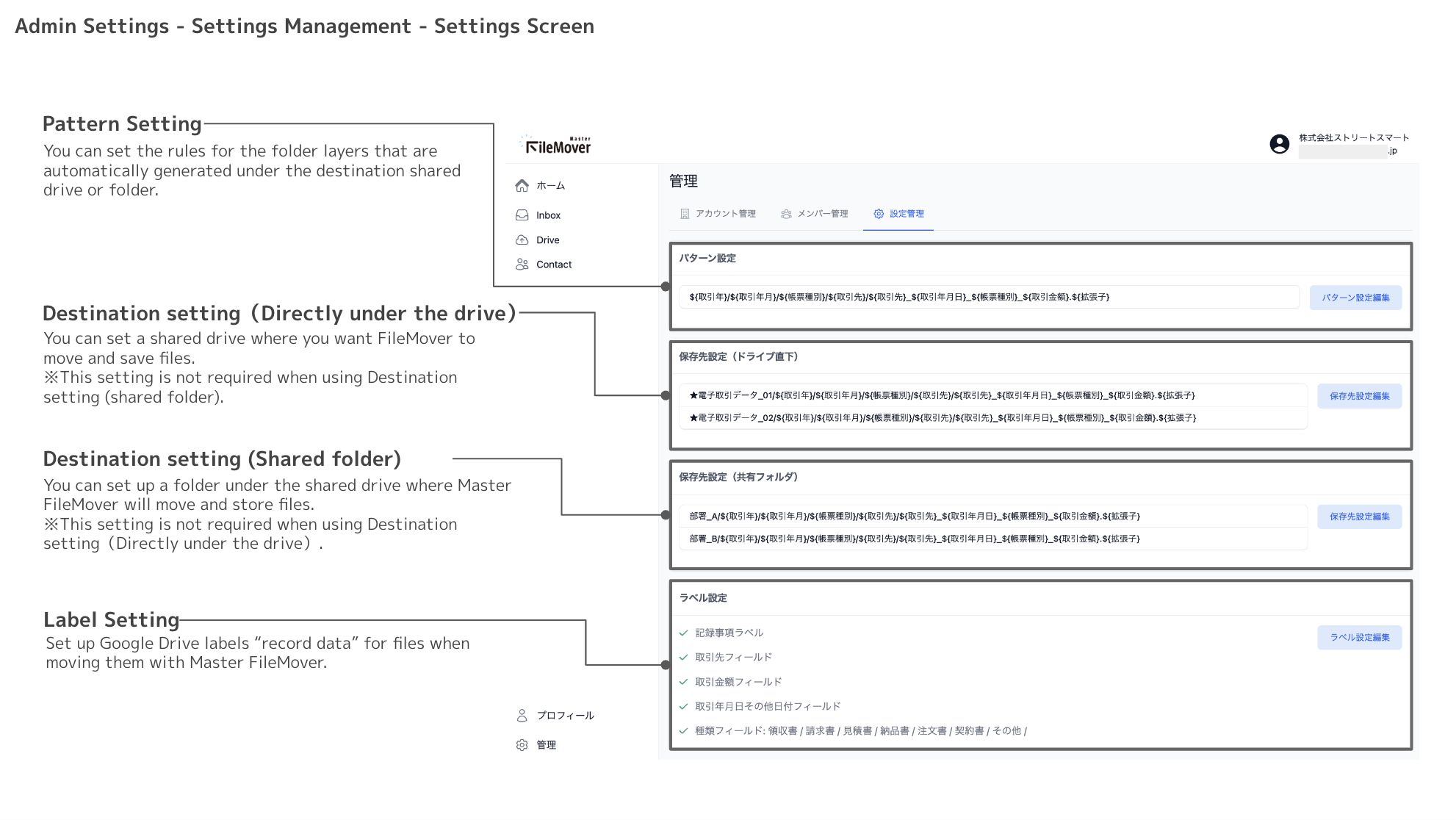
Functions for Administrators

Operation screen

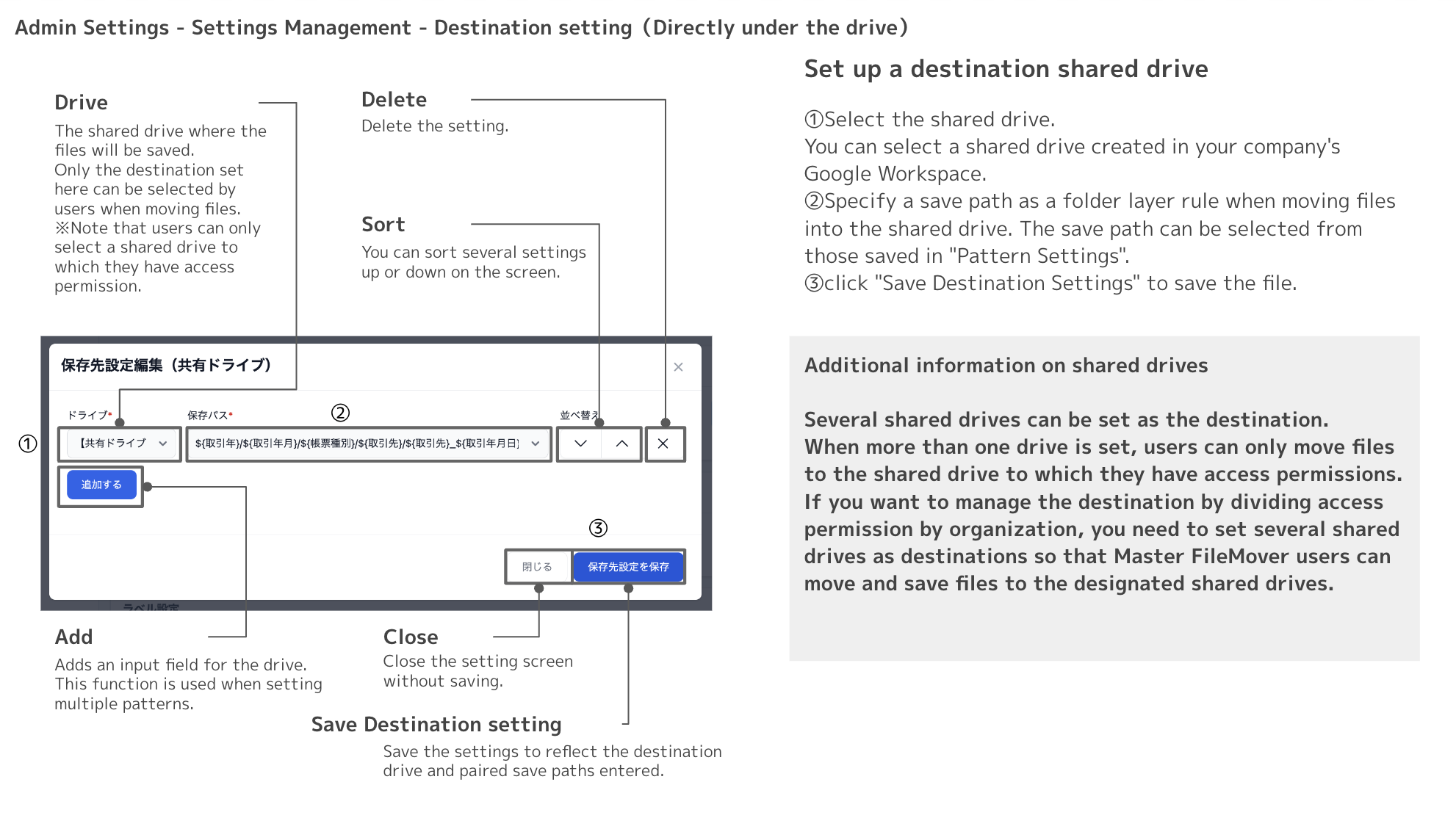
The Admin Settings screen displays a pull-down list of shared drives created in Google Workspace, and specifies the shared drive where the data will be stored.

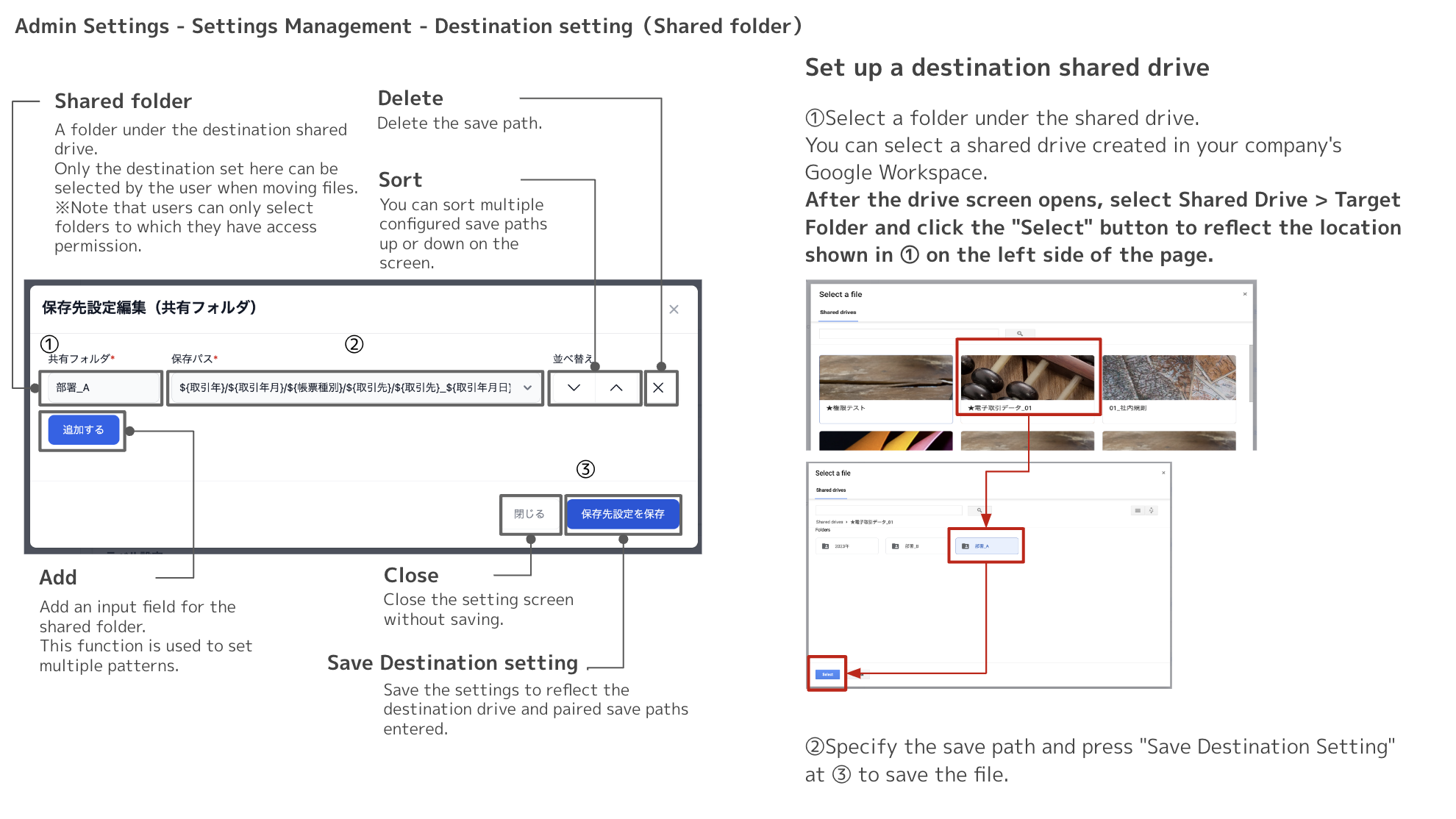
You can also designate a folder under the shared drive as the data storage destination.

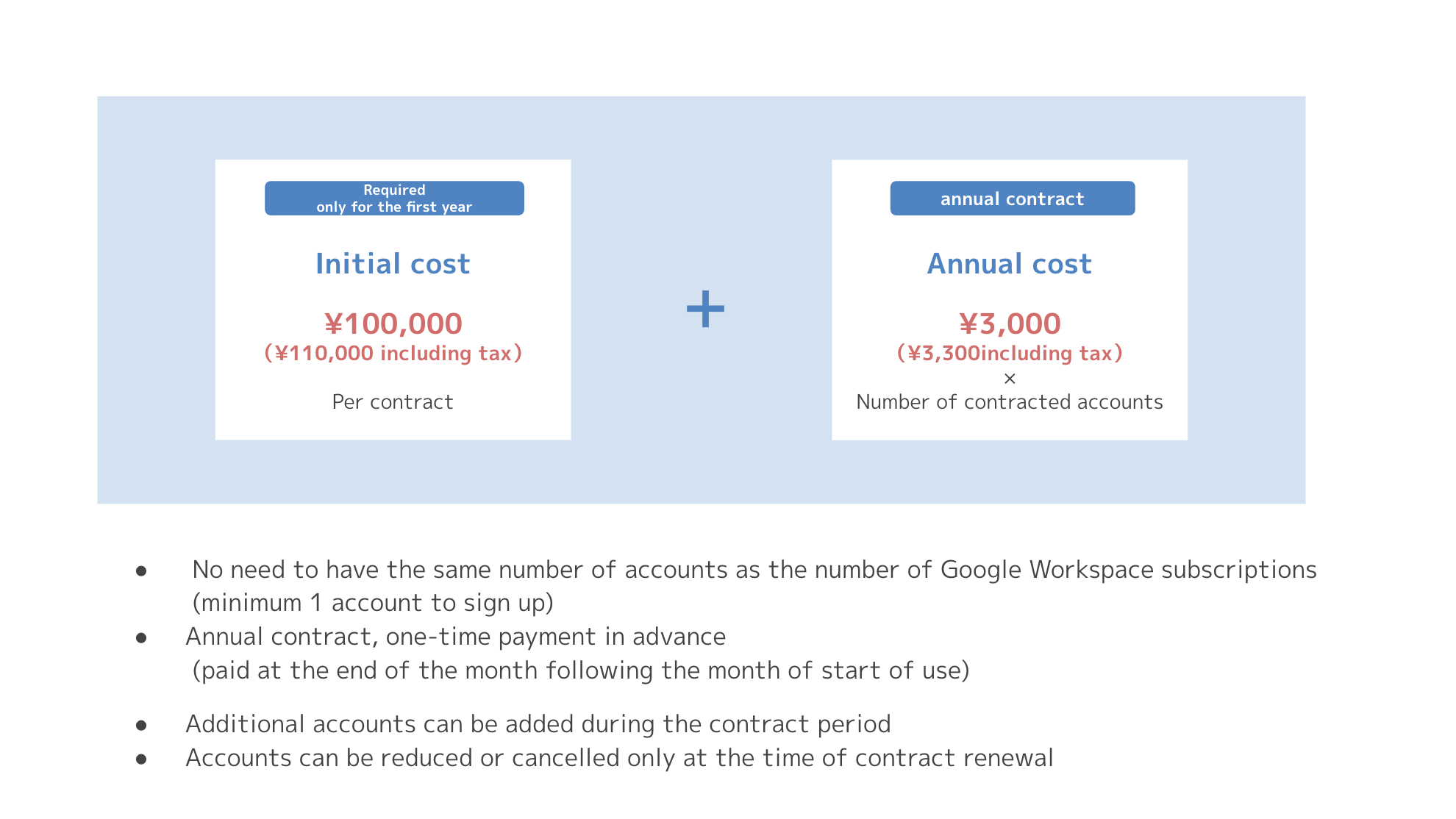
Price